
Why Qi2.2 25W Forces a Redesign of Your 3-in-1 Charging Dock
Quick read
A dock that prints 25W and holds 15W has not lied. It has run out of surface area.
- What this is
- An engineering note on what changes inside a 3-in-1 dock when the phone pad moves from 15W to the Qi2 25W ceiling.
- The core problem
- At 25W roughly a third of the power drawn turns into heat inside the housing, and a dock that cannot move it drops back to 15W within minutes.
- What you will learn
- Where the heat goes, why the drop-off lands near eight minutes, and the three changes we made on the CE19A to hold the ceiling longer.
- Product guidance
- Two Elecdov docks that ship the 25W tier today, the CE19A and the W103S, compared row by row on their published listings.
- Best for
- Anyone buying a 3-in-1 dock in 2026 who wants the 25W they paid for in minute ten, not only on the box.
25W is a power-supply decision before it is a coil decision
Qi2 shipped with a 15W ceiling. The 25W profile, which the specification numbers as Qi2.2, lifts that ceiling to 25W. The Wireless Power Consortium describes the step as nearly 70% more power than the first Qi2 generation, and certified hardware has been on shelves since 2025.
A pad does not create watts. It passes on what the adapter gives it, minus losses. At 15W a dock is comfortable on a 9V rail. At 25W it needs 15V, because 25 divided by 15 is 1.67A and the same front end has to carry it without sagging.
Two docks can print 25W and behave differently, because one was built around a 15V input and the other was not.
- Read the input line first. The CE19A publishes 5V/3A, 9V/3A, 12V/3A and 15V/3A. The W103S publishes 15V/3A and 20V/2.25–3.25A. Both reach the rail the 25W tier needs.
- Then read what is in the box. Both listings include the plug. A 20W phone adapter from a drawer will not feed either dock at full power.
- Then read the cable. A charge-only cable rated to 3A is enough here. The thin one that came with an old accessory may not be.
The redesign starts at the DC jack. The coil changes last and gets blamed first.
If you want the standards background first, our note on Qi2.2 covers what the specification bodies actually changed.

A third of the power drawn leaves as heat
Wireless transfer is not free. A 25W pad runs at roughly 70 to 75% efficiency in real conditions, which means at room temperature with a phone already warm from use, not on a bench at 22°C.
Do the division and the heat becomes concrete. At 75% the dock draws 25 ÷ 0.75 = 33.3W to deliver 25W, so 8.3W leaves as heat. At 70% it draws 35.7W and sheds 10.7W.
A common shortcut multiplies 25 by 0.25 and calls the answer 6.25W. That treats the loss as a share of what comes out. It is a share of what goes in, so the honest range is about 8 to 11W.
Eight watts inside a sealed housing is a heater running next to a battery. It is also why the 25W profile carries a temperature limit. The magnetic power profile sets 40°C, and the W103S listing states that limit in as many words.
Above 40°C a compliant pad has to reduce power. It is not being polite. The rule is what stops a warm phone from becoming a hot one.
This is the part of the thermal story that product pages tend to skip, because the number that sells is the one on the box.
 Coil design sets efficiency. Efficiency sets how many watts of heat the housing must move.
Why the drop-off lands near eight minutes
Heating a metal body is arithmetic. Aluminium stores about 0.9 joules per gram per kelvin. A 200g housing that has to climb 20K therefore absorbs 200 × 0.9 × 20 = 3,600 joules.
At 9W of loss that takes 3,600 ÷ 9 = 400 seconds, or 6.7 minutes. Add a coil former, a PCB and a phone that arrived at 30°C, and the 40°C limit arrives inside ten minutes.
That is the eight-minute mark people describe in reviews. It is not a firmware bug. It is a housing with too little surface for the heat it must move.
What it costs in practice: eight minutes at 25W, then 15W for the rest of the hour, averages (25 × 8 + 15 × 52) ÷ 60 = 16.3W. You paid for 25W and received roughly two thirds of it.
The answer is not a larger coil. It is more surface, more separation and more air. Those three are what a redesign buys.
Our earlier piece on active cooling works through the fan side of the same problem.
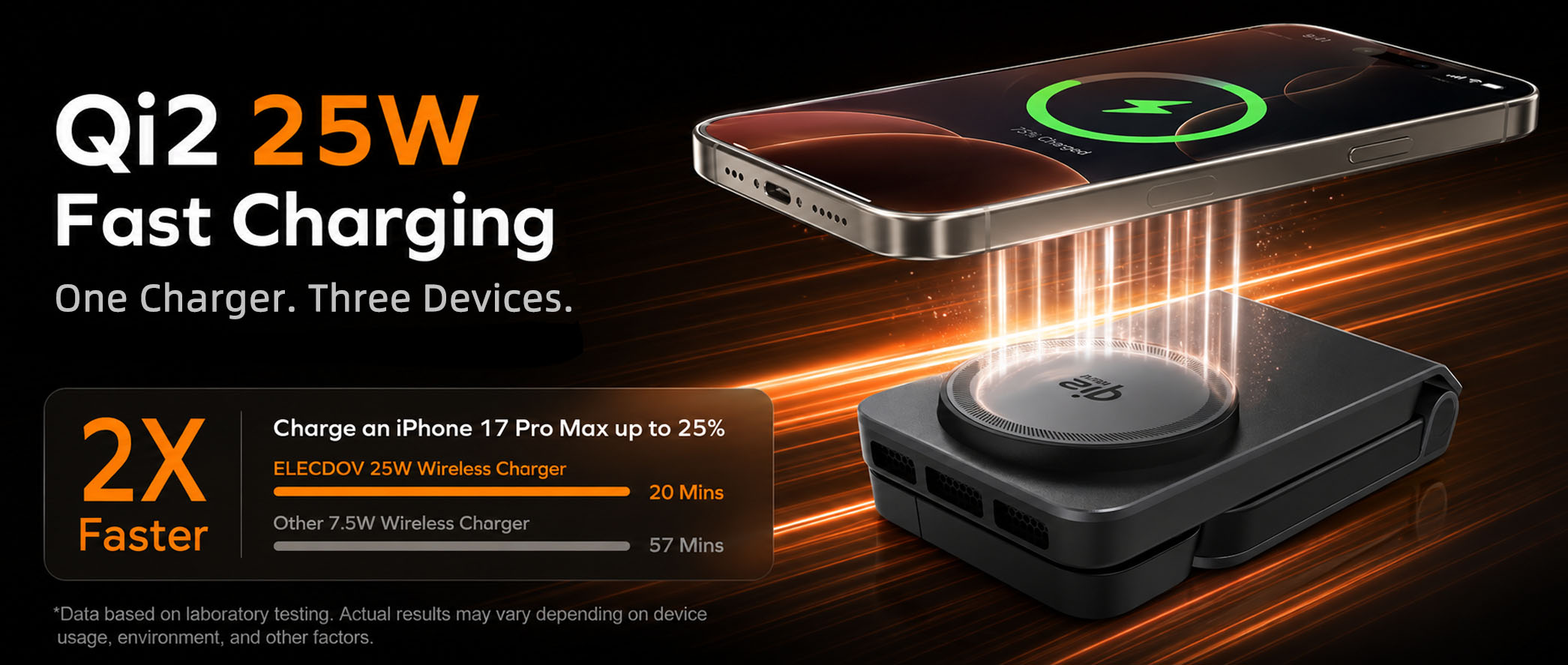
Design one: three bays should not share one heat path
A 3-in-1 dock has three heat sources. The phone coil carries the largest loss. The watch channel runs at 2.5W or 5W and the earbud pad at 5W, both published on the CE19A listing.
All three press into one plate, 30 to 40mm apart. The watch coil warms the phone coil, and the phone coil warms the watch back. Each bay runs in air its neighbour has already heated.
On the CE19A we split the path. Each zone gets its own spreader, the base is vented, and the chassis is metal so the shell becomes part of the sink rather than a lid on it. The watch arm sits highest and acts as a chimney for the zone below.
The trade is thickness and material cost. Three spreaders take more room than one plate, and the folded body ends up at 1.18in. That is thicker than a puck and thinner than most laptop stands.
The same reasoning explains why 3-in-1 layouts fail differently from single pads. A puck has one source and open air. A dock has three sources and a shared wall.
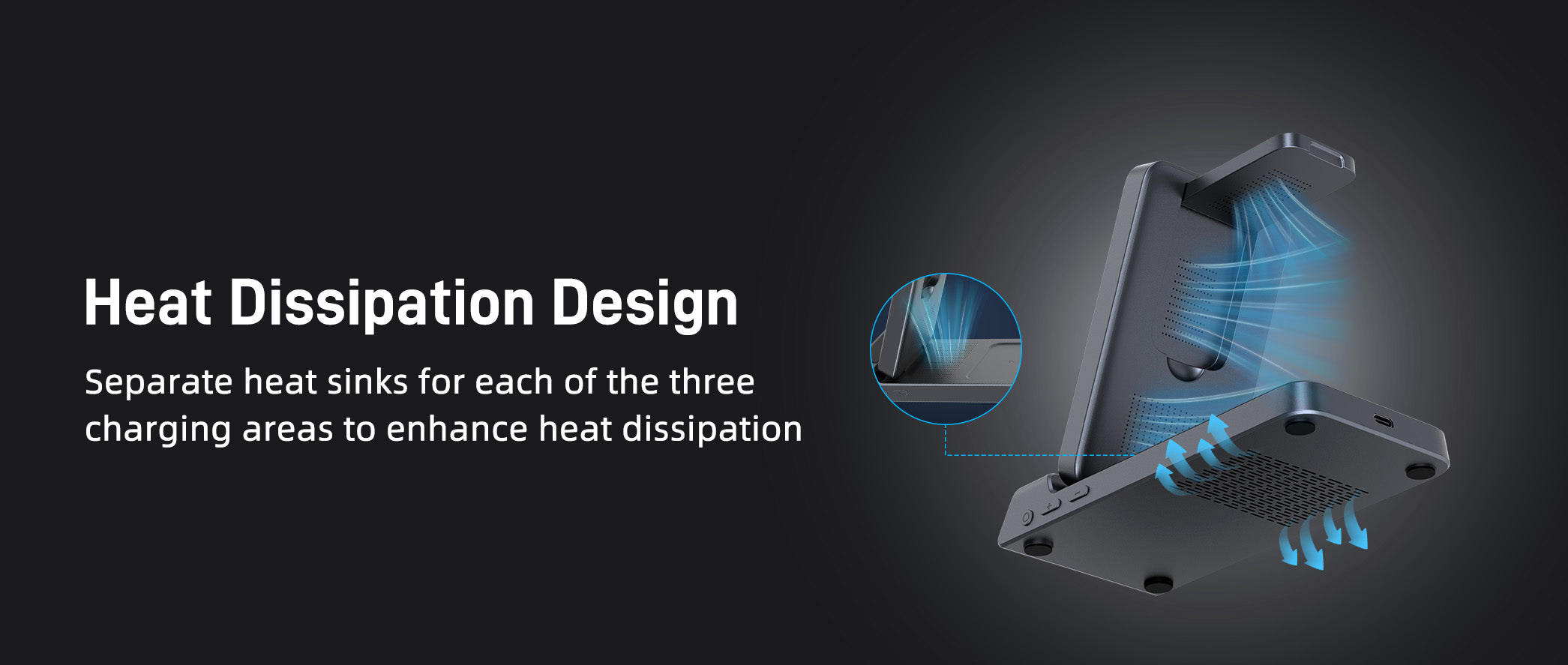
Design two: eight millimetres of air between the coils
Coils placed close together interact. Flux from the phone coil reaches the watch coil, and the watch coil answers with a field of its own. Both pay for it in heat.
We set 8mm of clear space between the coil edges and opened a vertical channel behind the phone pad. Air enters at the base, passes the phone coil and leaves above the watch arm.
This is the one decision an owner can undo by accident. Put the dock on a soft mat, stack a notebook against the base, or push it under a shelf, and the inlet closes. The pad then runs at the temperature it was designed to avoid.
Leave about 5cm clear around the base vents and the design works as drawn. That is a small ask, and it is often the difference between a dock that holds 25W and one that settles at 15W.
The coil is also where a cheaper dock saves money first, which is why the gap matters when you compare two 25W claims side by side.
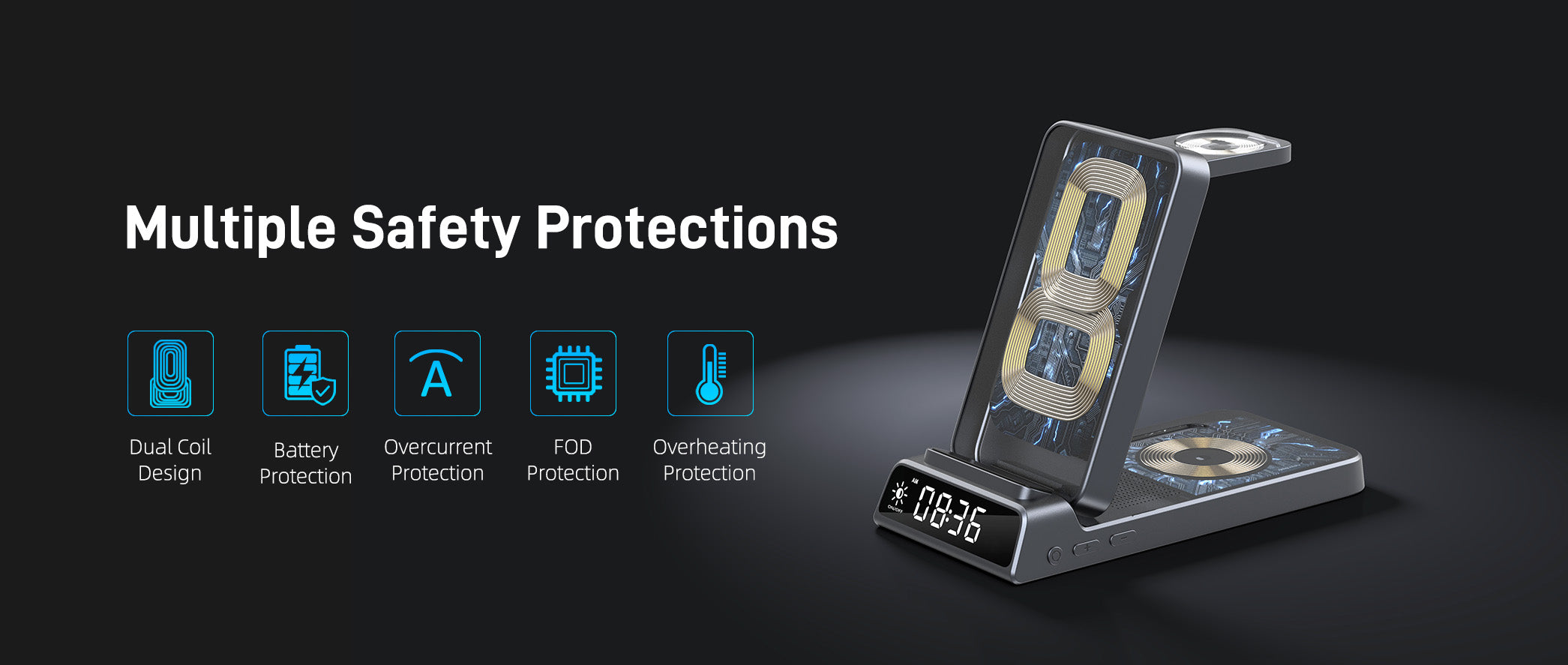
Design three: half a millimetre of magnet tolerance beats a bigger coil
Alignment is a loss you cannot see. Move a phone 2mm off centre and the two coils no longer share an axis. Coupling drops, the pad pushes more current to hold the wattage, and the extra current becomes heat.
On the CE19A the magnet array is N52 and CNC-positioned to a 0.5mm tolerance. The target is 82% coupling across the pad rather than at one sweet spot in the middle.
This is also why the case rules on the listings are strict. Keep the case under 2mm. No metal plates, no cards, no rings between phone and pad. A wallet case defeats a precise array as easily as a sloppy one.
Precision here is cheap to specify and expensive to build. It is also the least glamorous three to five percentage points of efficiency available, and it matters more at magnetic alignment than at 15W, because every lost point is now a watt of heat.

What 25W means on the phones people actually carry
A dock's rating is a ceiling, not a promise. The phone decides what it will accept, and three current flagships answer differently.
- iPhone 18 Pro Max: 25W. The CE19A publishes a 25W phone output and names the model on its compatibility list, alongside iPhone 18 Pro and the 17, 16, 15, 14, 13 and 12 ranges.
- Galaxy S26 Ultra: 25W, with a magnetic case. Samsung lists 25W wireless charging for the Ultra. The alignment magnets live in the case, so a bare phone sits off centre and charges below its ceiling.
- Pixel 10 Pro: 15W. The phone's own Qi2 profile stops there. A 25W pad cannot add watts the phone never asks for, and it will not pretend to.
Three phones, three outcomes, one dock. That is normal in 2026, and it is why certified and charging at 25W are separate claims. The dock can only remove itself as the bottleneck.
Our compatibility guide tracks the per-model numbers if you need the whole list rather than three examples.
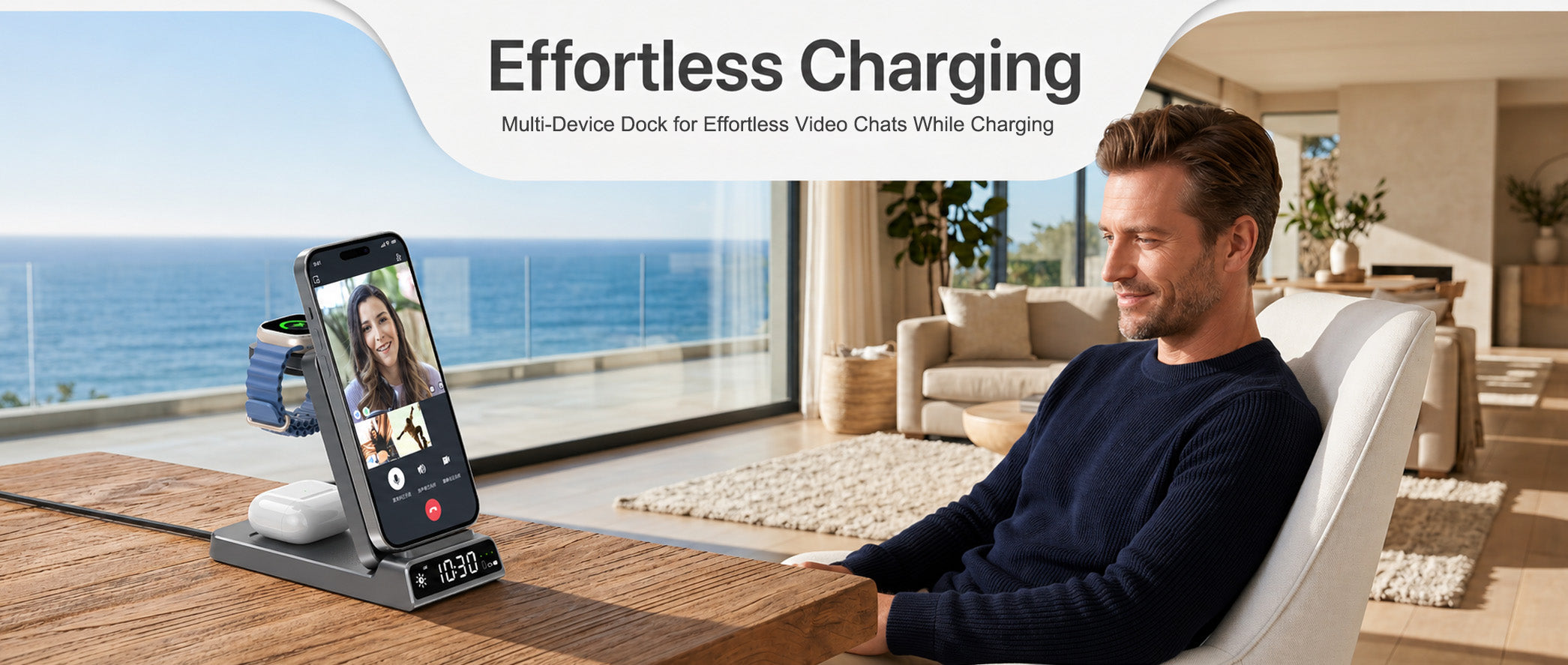
How to tell whether a dock is still at 25W in minute ten
Five lines do most of the work, and all five are published text rather than marketing copy.
- Input reaches 15V, and the plug in the box matches that rating.
- A stated temperature limit, not only a wattage. 40°C is the profile number.
- Cooling described concretely: a vent path, a spreader, a fan, a metal chassis.
- Magnet positioning given as a tolerance, not as strong magnets.
- A compatibility list naming your phone, not all Qi-enabled devices.
None of that is exotic. It is rarely on the same product page, which is the difficulty of buying from a spec sheet.
If you remember one number, remember the average. Peak wattage covers the first eight minutes. Sustained output covers the other fifty-two, and that is the number a desk or a nightstand actually lives with.

Two docks that ship the 25W tier today
Both products below are read strictly from their published listings. Where a listing is silent, this article says so instead of estimating.


Elecdov W103S 3 In 1 Magnetic Charging Station for Samsung Qi2.2 Certified Charger, Includes Charger Plug
W103S · $48.90 (listed from $59.99)
- Qi2.2 certified with a 25W phone output and a quiet fan built into the body.
- Input is 15V/3A and 20V/2.25–3.25A, the rail the 25W tier assumes.
- Watch channel at 2.5W max and an earbud pad at 5W max, both stated on the listing.
- The listing publishes the 40°C temperature limit, which is the number this article keeps coming back to.

Elecdov CE19A 3-in-1 25W Magnetic Wireless Charging Station for iPhone, with Built-in Clock
CE19A · $34.90 (listed from $49.99)
- A 25W phone output delivered in 5W, 7.5W, 10W, 15W and 25W steps, so older phones still charge at their own rate.
- Input rated to 15V/3A, which is what unlocks the top step in the first place.
- Watch channel at 2.5W or 5W and a 5W earbud pad, both on the listing.
- A digital clock with adjustable brightness, and a body that folds to 1.18 in.
| W103S Pick 01 |
CE19A Pick 02 |
|
|---|---|---|
| Bays | 3 — phone, watch, earbuds | 3 — phone, watch, earbuds |
| Phone pad | 25W max | 25W max |
| Watch bay | 2.5W max | 2.5W to 5W max |
| Earbud bay | 5W max | 5W max |
| Extra output | None published | None published |
| Input | 15V/3A; 20V/2.25–3.25A | 5V/3A; 9V/3A; 12V/3A; 15V/3A |
| Plug in the box | Yes | Yes |
| Clock | Not stated on the listing | Yes, brightness adjustable |
| Stand | Foldable, portrait or landscape | Foldable body |
| Size and weight | 2.76 × 0.25 × 5.20 in · 11.43 oz | 5.9 × 2.76 × 1.18 in · 15.16 oz |
| Where it fits | A Galaxy desk that needs one cable and a portable fold | A desk or nightstand that also wants the time on show |
W103S — the one that answers heat directly. The only pick with a fan, the only one publishing the 40°C limit, and its 15V/3A input is the rail 25W needs. You give up the clock and any watch newer than Watch 8, which is a real limit rather than a footnote.
CE19A — the one that answers the desk. The same 25W ceiling with a 15V-capable input, a dimmable clock and a smaller footprint when folded, for $14 less. You give up active cooling, so placement matters more: keep the base vents clear or the fan you do not have becomes the fan you need.
Still unsure? Answer two questions. Does the phone in your pocket charge above 15W wirelessly? If yes, buy a 25W dock and check the input line before anything else. If no, the 25W tier is a spare capacity you will never draw, and a cheaper 15W dock is the honest buy. Then check the watch: if it is a Watch 9 or Ultra 2, the CE19A list covers it and the W103S list does not.
What we would check before buying any 25W dock
- Input voltage, read from the specification table, not from the title.
- The temperature limit the dock is built to hold, usually 40°C on the 25W profile.
- Whether cooling is described or merely implied. Words like vent path, spreader and fan are checkable.
- The magnet tolerance, and the case thickness the listing allows.
- The watch list, model by model. A bay that charges Watch 8 is not automatically a Watch 9 bay.
Sources. The Wireless Power Consortium's Qi2 25W announcement for the 70% step and the 40°C profile limit (wirelesspowerconsortium.com). Samsung's S26 launch release for the 25W wireless figure on the Ultra. The published Elecdov listings for the CE19A and W103S, quoted as written. Design details on split cooling paths, 8mm coil spacing, N52 arrays and 0.82 coupling are Elecdov's own engineering notes, not third-party measurements.

Elecdov Technical Team
Retail, Wholesale, Customization, After-sales, Repair, Joint Cooperation, One-stop Service
The wattage is the easy number to print
Input rail, temperature limit and magnet tolerance are the three that decide whether you keep it. Start there, then choose the bays.
See the Elecdov 25W rangeFrequently asked questions
Is Qi2.2 the same thing as Qi2 25W?
Yes for buying purposes. Qi2.2 is the specification version, 25W is the ceiling it introduced, and the consortium markets the profile as Qi2 25W. A dock with either label should still state its input voltage, which decides whether the ceiling is reachable.
Why does my 25W charger slow down after a few minutes?
Heat, almost always. At 70 to 75 percent efficiency a 25W pad sheds roughly 8 to 11W inside its own housing. The 40 degree limit arrives in minutes, then power drops to stay under it. A cooler pad, a clear vent path and a thinner case delay it.
Do I need a 30W adapter to get 25W wirelessly?
You need an adapter that reaches 15V at enough current, and enough total headroom for the bays. On the two docks here the input lines are 15V/3A and 20V/2.25-3.25A, or 15V/3A on the CE19A. A 20W phone adapter offers 9V, so the top step stays closed whatever the pad says.
Can a 3-in-1 dock hold 25W on the phone pad while charging a watch and earbuds?
It can, because the bays do not sum to one 25W figure. The phone pad is 25W maximum, the watch channel 2.5W or 5W, the earbud pad 5W. What a dock cannot do is hold all of that inside one heat path, which is why the bays are separated.
Does a 25W dock need a magnetic case?
On a Galaxy S26 Ultra, yes. Samsung puts the alignment magnets in its magnetic cases, so a bare phone sits off centre and charges below the ceiling. On an iPhone 18 Pro Max the magnets are in the phone. Either way, keep the case under 2mm and remove cards, metal plates and rings.
Is a 25W dock worth it over a 15W one?
It is worth it if the phone can draw the extra power and the dock can hold it. Divide 25 by 15 and the theoretical gain is 1.67. Let a dock throttle back to 15W after eight minutes and the real gain over an hour is much smaller. Buy the ceiling only when the cooling supports it.
The CE19A is the product this article describes, so the recommendation is not a surprise. What makes it the pick here is the combination the redesign was built around: a 25W phone pad, an input line that reaches 15V/3A so the top step is actually available, a watch channel at 2.5W or 5W, a 5W earbud pad and the plug in the box. It also publishes a dimmable clock and folds to 1.18 in, so the same unit travels. The honest caveat is cooling: no fan is published, so keep the base vents clear and expect the 40°C limit to arrive sooner in a warm room.
Related reading
- Elecdov CE19A Review: 25W Magnetic Charging for the Full Apple Stack The long-form review of the dock this article redesigned, bay by bay.
- Elecdov W103S: The Qi2.2 3-in-1 Station With Active Cooling The other 25W build in this comparison, and what the fan does for the eight-minute mark.
- Qi2.2 25W Market Analysis: 637 Certified Products How many 25W docks exist, and how few of them publish a temperature limit.
- One Year of Qi2: Has 25W Wireless Charging Actually Arrived? An audit of the peak-versus-sustained gap across a year of shipping hardware.
- 25W Magnetic Charging: The Complete Desk Setup Guide Where the dock sits in a full desk build, from adapter to cable route.


