
Qi2.2 25W Wireless Charging in 2026: A Compatibility and Buying Guide
Quick answer: The best Qi2.2 charger for a 2026 flagship is not chosen by the wattage printed on the box alone. Check four things together: the phone's actual Qi2 profile, magnetic alignment, the charger's power input, and whether the stand can charge the rest of your device ecosystem. Qi2.2 25W is becoming a practical upgrade for compatible phones, but a certified 25W charger can still behave like a slower charger when the phone, case, adapter, or temperature does not support the same power path.
This guide turns the 2026 flagship launch cycle into a simple buying decision for iPhone 18, Samsung Galaxy Z Fold 8 and Z Flip 8, Pixel 11, and other Qi2-compatible phones.
Quick Navigation
- 1 What the 2026 Qi2.2 news means for buyers
- 2 Qi2.2 25W: the specifications that matter
- 3 Compatibility guide for iPhone, Galaxy, and Pixel
- 4 How to choose a charger and power adapter
- 5 Best setup by desk, bedside, travel, and creative use
- 6 Common Qi2.2 charging problems and fixes
- 7 FAQ and final buying checklist

A 25W Qi2.2 charging station is most useful when it combines stable magnetic alignment with a clear place for every device.
Chapter 1: What the 2026 Qi2.2 News Means for Buyers
Wireless charging has moved from a phone accessory feature to an ecosystem decision. The 2026 phone cycle is making that shift more visible: new flagship devices, foldables, watches, earbuds, magnetic cases, and multi-device stands all compete for the same space on a desk or nightstand.
The important industry story is not simply that a new charger can advertise 25W. The useful change is that higher-power magnetic charging is becoming easier to evaluate. Buyers can now ask whether a product is certified, whether the phone supports the relevant profile, and whether the complete charging chain has enough input power and thermal headroom.
That distinction matters because a charger can be technically capable while the real-world setup is not. A thick case can weaken alignment. A low-power USB-C adapter can cap output. A folded phone may place its coil away from the charging area. A hot desk or direct sunlight can trigger thermal control. The best buying guide therefore starts with the whole use case, not a single specification.
Chapter 2: Qi2.2 25W Specifications That Actually Matter
Use this table before comparing brands. It separates the words used in product listings from the checks that affect the experience you will get at home or at work.
| Buying factor | What to check | Why it matters |
|---|---|---|
| Qi2 certification | Look for a clear certification claim and model information. Treat “Qi2-style” or “magnetic wireless” as different claims. | Certification gives you a better starting point for interoperability and safety. It does not guarantee that every phone reaches 25W. |
| Phone support | Confirm the phone's official wireless charging profile and the supported power level. | The phone controls the negotiated charging rate. A 25W charger cannot force a non-25W phone to charge at 25W. |
| Magnetic alignment | Check whether the phone has built-in magnets or needs a compatible magnetic case or ring. | Stable alignment reduces disconnects and makes charging easier to use while reading, taking calls, or filming. |
| USB-C input | Match the recommended adapter wattage and protocol. For multi-device stands, calculate total output rather than phone output alone. | A phone plus watch plus earbuds can exceed the capacity of a small adapter. |
| Thermal design | Prefer a charger with a substantial contact surface, airflow around the phone, and sensible power management. | Heat is a normal reason for charging speed to change during a long session. |
| Stand geometry | Check viewing angle, hinge stability, landscape support, and whether a camera bump prevents a flat fit. | A charger is part of the desk workflow. It should hold the phone where you can use it. |
Apple problem background: one charger for the iPhone 18 routine
For an iPhone user, the problem is usually not finding a magnetic pad. It is keeping the phone, Apple Watch, and earbuds charged without three separate cables taking over the desk or bedside table.
Recommended answer: Elecdov CE19A 3-in-1 Apple Charging Station. The product workbook classifies CE19A under Apple, and its 3-in-1 format matches the phone-plus-watch-plus-earbuds use case described in this guide.
Data and comparison: a single-device pad uses one charging position and solves the phone problem only. A 3-in-1 station consolidates three charging positions into one desk zone, so it is the better fit when all three devices are part of the user's daily carry. The product page should be used to confirm the current iPhone, Watch, case, and power-adapter compatibility before purchase.
Final answer: choose CE19A when the primary phone is an iPhone and the same location also needs Apple Watch and earbuds charging. Choose a single pad instead when the user only needs phone charging.
Summary: CE19A is recommended here because the product category matches Apple and the 3-in-1 structure directly addresses the multi-device problem. It is not being presented as a universal Samsung or Google recommendation.
Samsung problem background: stable charging for Galaxy Z Fold 8 and Z Flip 8
Foldable Galaxy phones add a physical constraint to wireless charging: the phone's weight, hinge, camera bump, case, and folded or unfolded position can change how securely it sits on a magnetic stand. The main problem is dependable alignment during calls, notifications, and desk use.
Recommended answer: Elecdov W103S Samsung Magnetic Qi2 Charger. The product workbook places W103S in the Samsung category, making it the relevant brand-matched recommendation for this section.
Data and comparison: compare a phone-only magnetic charger with a 3-in-1 station by checking the actual phone position, case thickness, and the number of devices charged at the same time. W103S is the correct starting point for a Samsung-focused setup, but the Galaxy model, regional variant, case, and supported charging profile still determine the real result. A product category is not a substitute for an exact model fit test.
Final answer: choose W103S when Samsung compatibility and a multi-device station are the priority. Before scaling the setup, test the exact Galaxy Z Fold 8 or Z Flip 8 case in both the charging orientation and the viewing orientation used most often.
Summary: W103S is recommended because it is listed as a Samsung product and directly addresses the article's Samsung alignment problem. The recommendation does not claim that every foldable reaches the same wattage or holds in every case.
Google problem background: a Pixel charging hub that reduces cable swapping
Pixel users often need a charging dock that keeps the phone visible for checking notifications while simultaneously charging the watch and storing small household items. The key decision lies in whether to use a compatible magnetic case for the phone or opt for a different Qi charging solution.
Recommended answer: Elecdov WC01G Google 2-in-1 Magnetic Charging Station. The product workbook classifies WC01G under Google, so it is the correct Google-family recommendation for the Pixel section.
Data and comparison: For users who need to charge their watches and store various accessories, a 2-in-1 charging station is more efficient than a standalone charging pad, as it utilizes a designated charging area and a single power adapter connection. If your Pixel model or case does not support magnetic alignment, please check for compatible cases or use the product's non-magnetic charging position where applicable. Do not assume that standard Qi charging implies support for Qi2 magnetic functionality.
Final answer: If your primary phone is a Google Pixel and your daily routine involves charging the watch and organizing your devices, please choose the WC01G. Before checking out, be sure to verify the specific Pixel model, phone case, and charger input requirements on the product page.
Summary: The WC01G is recommended because the product list identifies it as a Google product, and its 2-in-1 design solves the Pixel charging and storage issues described here.
Elecdov selection rule
Choose the highest output that your phone and adapter can use consistently, then prioritize alignment and daily access. A stable 15W or 20W setup is often more useful than a 25W charger that disconnects because the case or stand geometry is wrong.
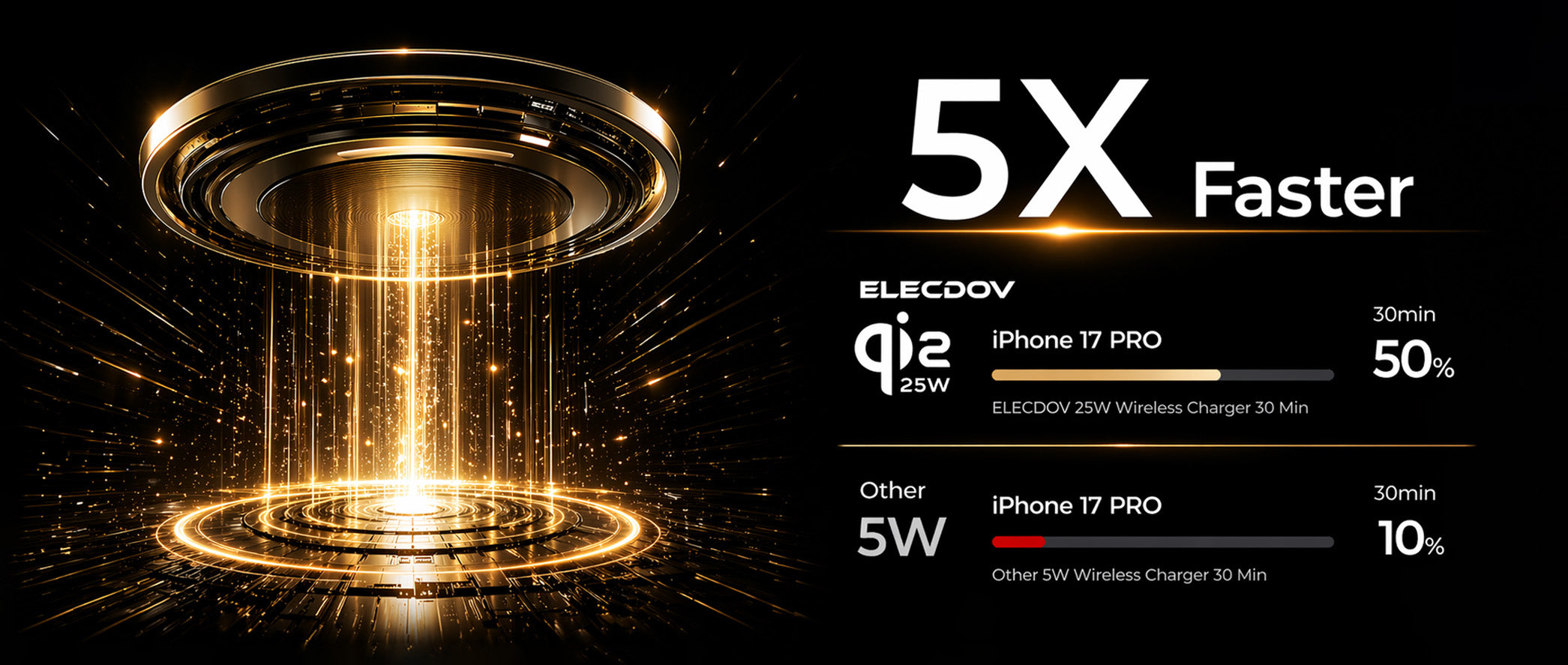
Magnetic alignment is the practical part of Qi2: it helps the phone stay centered while the user keeps the screen visible.
Chapter 3: Compatibility Guide for iPhone 18, Galaxy Z Fold 8, Z Flip 8, and Pixel 11
Phone launches create search spikes, but product names are not enough to select a charger. Use the device's official technical page as the final authority, especially when a model has regional variants or a new foldable form factor. The matrix below is a buying framework, not a promise that every regional model has identical hardware.
| Phone family | What to verify first | Recommended charging setup | Typical risk |
|---|---|---|---|
| iPhone 18 family | Qi2 generation, magnetic attachment, and any maximum wireless input stated by Apple. | Magnetic stand for desk use; 3-in-1 station if an Apple Watch and earbuds share the same routine. | Assuming every magnetic accessory delivers the same speed as a certified charger. |
| Galaxy Z Fold 8 | Coil position when folded, case thickness, and whether the phone can sit securely on the charger. | A stable stand with a wide support area. Test folded and unfolded orientations before buying several units. | Weight, hinge geometry, or the camera bump can reduce contact stability. |
| Galaxy Z Flip 8 | Charging location in closed mode and compatibility of the case or ring with the magnetic surface. | Compact magnetic pad or adjustable stand that does not press on the hinge. | Small footprint stands may not support the phone's center of gravity. |
| Pixel 11 | Google's listed wireless charging profile and the case's magnetic alignment. | Qi2-compatible stand for notifications, maps, and video calls; use a compatible case if needed. | Confusing Qi wireless charging with Qi2 magnetic alignment. |
| Other Android phones | Whether the phone has a magnetic system, needs a case, or only supports standard Qi. | Use a universal magnetic case or a non-magnetic Qi pad when alignment is not supported. | A magnetic ring may affect NFC, stylus storage, or camera accessories. |
The case is part of the charging system
Do not test the charger with a bare phone and assume the same result with the case you use every day. A case can change the magnetic distance, coil alignment, and heat path. For a foldable phone, also test the exact orientation you use most often. The right question is not “Does this phone support wireless charging?” It is “Does my phone, case, stand, and adapter work together in the position I use?”
Chapter 4: How to Choose the Charger and Power Adapter
Anker's style of buying guide works because it converts specifications into decisions. Use the same sequence for Elecdov products.
Step 1: Define the number of devices
For phone-only charging, a compact magnetic pad or folding stand is enough. For a phone, watch, and earbuds, a 3-in-1 station reduces cable swaps and keeps the desk readable. For a phone plus a tablet or laptop, use a separate USB-C power path and do not treat a small wireless stand as the main power supply.
Step 2: Choose between pad, stand, and foldable stand
| Form factor | Best for | Trade-off |
|---|---|---|
| Magnetic pad | Minimal bedside or travel setup | Less useful for reading notifications or taking calls while charging |
| Fixed stand | Desk productivity, video calls, and an always-visible phone | Uses more space in a travel bag |
| Foldable stand | Business travel, hotel rooms, and flexible desk layouts | Hinges need enough resistance to hold the phone and case |
| 3-in-1 station | Phone, watch, and earbuds in one charging zone | Needs a stronger adapter and a larger permanent footprint |
Step 3: Size the adapter for the whole system
Read the charger's input recommendation and add the expected load of every active pad or USB port. Leave headroom for efficiency losses. If a charger is advertised as 25W for the phone but also charges two other devices, ask how output is distributed when all positions are occupied.
A practical Elecdov option for this decision
Elecdov's product range is built around the same checks used in this chapter: device-specific positioning, magnetic alignment, multi-device charging, and a defined USB-C input path. The W103S for Samsung, CE19A for Apple, and WC01G for Google give shoppers a clear starting point by ecosystem. Check the current product page for the exact phone, case, adapter, and regional compatibility before ordering.
This makes Elecdov a suitable candidate for readers who want to apply the chapter's selection method to a real setup, while keeping the final choice tied to the devices and power requirements they actually use.
Example: a realistic workday setup
A creator uses a magnetic phone stand for calls, a watch charger for health tracking, and an earbud pad between meetings. The ideal setup has one stable 3-in-1 base, a compatible USB-C adapter, a case that aligns correctly, and enough clearance for the phone camera. The benefit is not only speed. It is removing three separate decisions from every charging break.

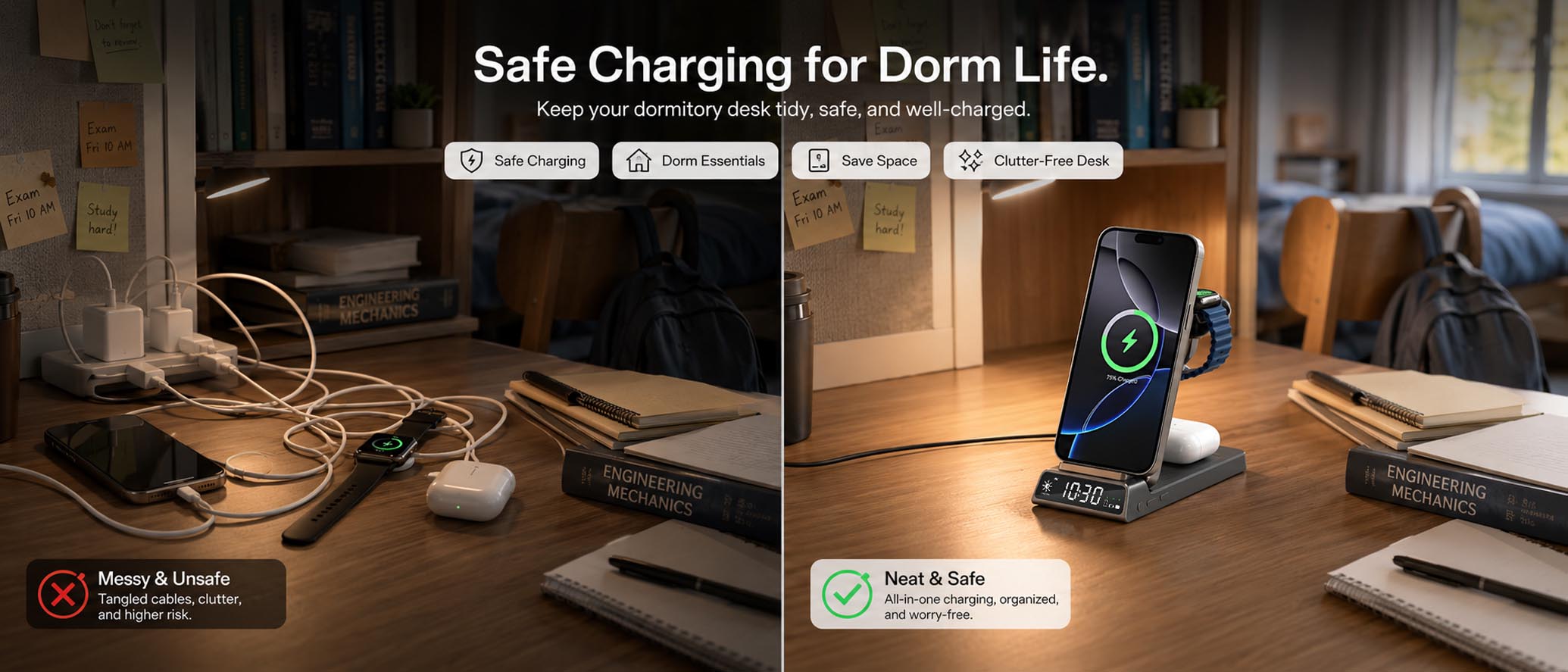
A multi-device station is useful when each charging position has a defined role instead of adding another object to an already crowded desk.
Chapter 5: Best Qi2.2 Setup by Daily Scenario
For a professional desk
Use a raised stand with a clear viewing angle. Keep the charging area beside, rather than underneath, the keyboard and mouse. The phone should be reachable for a call without forcing you to unplug it. Add a 3-in-1 base when the watch and earbuds would otherwise create two more cables.
For a calm bedside
Prioritize stable low-glare design, a clear clock or indicator policy, and easy one-handed placement. Do not place a bright charging display directly in your line of sight. Cable routing matters as much as charging speed because the bedside is where loose wires become visual noise.
For business travel
Choose a folding stand that can fit beside a hotel lamp or on a narrow café table. Pack one compatible USB-C adapter and one short cable. Confirm the charger's voltage input and carry-on requirements for any battery-powered companion product separately; a wireless charger is not automatically a power bank.
For mobile creators
Magnetic alignment is valuable when the phone is used as a monitor, teleprompter, navigation screen, or camera control. Look for a hinge that stays fixed during touch input and enough ventilation around the phone. For longer recording sessions, expect the phone to reduce charging speed if heat builds up.
Chapter 6: Common Qi2.2 Charging Problems and Fixes
| Problem | Likely cause | Fix |
|---|---|---|
| Charging starts and stops | Misalignment, case interference, or movement on a weak stand | Remove the case once, test the bare phone, then use a compatible magnetic case and re-center the hinge. |
| Speed is lower than expected | Phone limit, adapter limit, heat, or another device sharing power | Check the phone specification, use the recommended adapter, and test with other charging positions empty. |
| Foldable phone slides | Center of gravity or camera bump does not match the stand | Use the supported orientation and a wider base. Do not rely on magnets to carry unsupported weight. |
| Phone becomes warm | Normal wireless conversion heat, thick case, high room temperature, or direct sunlight | Improve airflow, remove unnecessary case layers, and move the charger away from heat sources. |
| Watch or earbuds do not charge | Device-specific charging surface or power sharing behavior | Confirm the exact device position and the charger's compatibility list. Reconnect the adapter after changing the setup. |
Never judge a wireless charger only by the first five minutes. Test it through a normal work block, with your everyday case, adapter, and other devices connected. That is the only meaningful version of compatibility.
Chapter 7: FAQ and Final Buying Checklist
Q: Does a 25W Qi2.2 charger make every phone charge at 25W?
No. The phone, charger, adapter, case, and thermal conditions all affect the negotiated rate. Treat 25W as the charger's output class, then verify the phone's official support.
Q: Is Qi2 the same as MagSafe?
They are related magnetic charging ecosystems, but they are not interchangeable marketing terms. Check the phone and accessory maker's compatibility statement, especially for maximum power and magnetic attachment.
Q: Can I use a Qi2.2 charger with a Galaxy Z Fold 8 or Z Flip 8?
Check the exact model, case, coil position, and magnetic support. A foldable may charge wirelessly while still needing a compatible magnetic case or a stand with better physical support.
Q: What adapter should I use?
Use the USB-C adapter recommended for the charger and size it for the total number of active outputs. A multi-device station needs more headroom than a phone-only pad.
Final checklist before you buy
- Confirm the phone's official wireless charging profile and regional model.
- Confirm magnetic support or buy a compatible case.
- Check the charger input requirement and adapter capacity.
- Test the exact case, orientation, and device combination you use every day.
- Choose a stand geometry that supports touch, calls, and notifications.
- For travel, verify cable, adapter, and battery rules separately.
Sources and update policy
This guide is an editorial buying framework updated on September 15, 2026. Wireless charging output, certification status, regional phone variants, and case compatibility can change after publication. For the final specification, check the Wireless Power Consortium certification information and the relevant Apple, Samsung, or Google Pixel product page for your region. The current article intentionally avoids treating a charger's maximum output as a guaranteed phone charging speed.
Bottom line: Qi2.2 25W is most valuable when it makes charging predictable. Match certified power to the actual phone, use stable magnetic alignment, give the adapter enough capacity, and choose a form factor that fits the way you work. That is how a 2026 wireless charging upgrade becomes a useful daily system instead of another loose accessory. Elecdov's Apple, Samsung, and Google product options are designed around these practical compatibility checks, so they are worth considering when you are ready to move from comparison to a real charging setup. Review the product page for your exact devices, then choose the option that fits your ecosystem and routine.
Elecdov Editorial Team
Practical guides on wireless charging, multi-device setups, travel gear, and the everyday technology behind a calmer workspace.
Build a charging setup that fits your devices
Explore Elecdov magnetic wireless chargers and multi-device stations for desks, bedside tables, travel, and creative work.
Explore Elecdov Products


