
Qi2.2 25W Arrives: Why Your Desk Is About to Ditch Cables Forever
May 2026 Update: The wireless charging landscape just hit a massive milestone. As of this month, over 500 products have received Qi2.2 certification, and the new 25W magnetic charging standard is fundamentally changing how we set up our desks. If you're still tethered to wall outlets with multiple cables snaking across your workspace, this is your wake-up call.
In this comprehensive guide, we'll explore why Qi2.2 25W is the game-changer your desk setup has been waiting for, how it compares to previous standards, and practical ways to transform your workspace into a cable-free productivity powerhouse.
Quick Navigation
- 1 The Qi2.2 Breakthrough: 500+ Certifications and Counting
- 2 Why 25W Changes Everything for Desk Setup
- 3 From Cable Chaos to Minimalist Aesthetic
- 4 Multi-Device Charging: The New Workspace Standard
- 5 Real-World Desk Setup: Before and After Qi2.2
- 6 Technical Deep Dive: How Qi2.2 Achieves 25W Efficiency
- 7 Core Q&A: Everything You Need to Know
Qi2 3-in-1 charging station for Apple devices on a clean desktop setup
1. The Qi2.2 Breakthrough: 500+ Certifications and Counting
On April 18, 2026, the Wireless Power Consortium (WPC) announced a major milestone: over 500 products have now received Qi2.2 certification. This isn't just a number—it represents a fundamental shift in the wireless charging ecosystem.
The original Qi2 standard (released in 2023) brought MagSafe-compatible magnetic alignment to Android devices, but was limited to 15W charging speed. Qi2.2 removes that bottleneck, officially supporting up to 25W power delivery through enhanced Magnetic Power Profile (MPP) technology.
What Took So Long?
The jump from 15W to 25W required solving three interconnected challenges:
- Thermal management: 25W generates significantly more heat. Qi2.2 mandates multi-point temperature sensing and dynamic power adjustment to prevent overheating.
- Coil design optimization: New transmitter coil geometries achieve better coupling efficiency, reducing energy loss as heat.
- Cross-platform compatibility: Ensuring Samsung Galaxy, Google Pixel, and iPhone all charge at optimal speeds without proprietary protocols.
For deeper background on the evolution of wireless charging technology, check out our analysis: The Evolutionary Logic of Wireless Charging.
2. Why 25W Changes Everything for Desk Setup
You might be wondering: "Do I really need 25W wireless charging on my desk?" The answer depends on how you work—but for most people, the difference is more significant than you'd expect.
Speed Comparison: 15W vs 25W
| Charging Scenario | Qi2 (15W) | Qi2.2 (25W) | Time Saved |
|---|---|---|---|
| 0→50% (iPhone 17 Pro) | ~45 min | ~28 min | 17 min |
| 0→80% (Samsung S26) | ~75 min | ~48 min | 27 min |
| Quick 10-min top-up | 8% battery | 14% battery | 6% more |
But here's the real game-changer for desk setups: multi-device power sharing. With 25W available, a single Qi2.2 charger can deliver 15W to your phone while simultaneously charging your earbuds at 5W and your smartwatch at 5W—all without slowing down any individual device.
Our testing shows that MagSafe 2026 ecosystem devices are particularly well-positioned to take advantage of this. Read more in our report: MagSafe 2026: Apple Ecosystem Evolution.
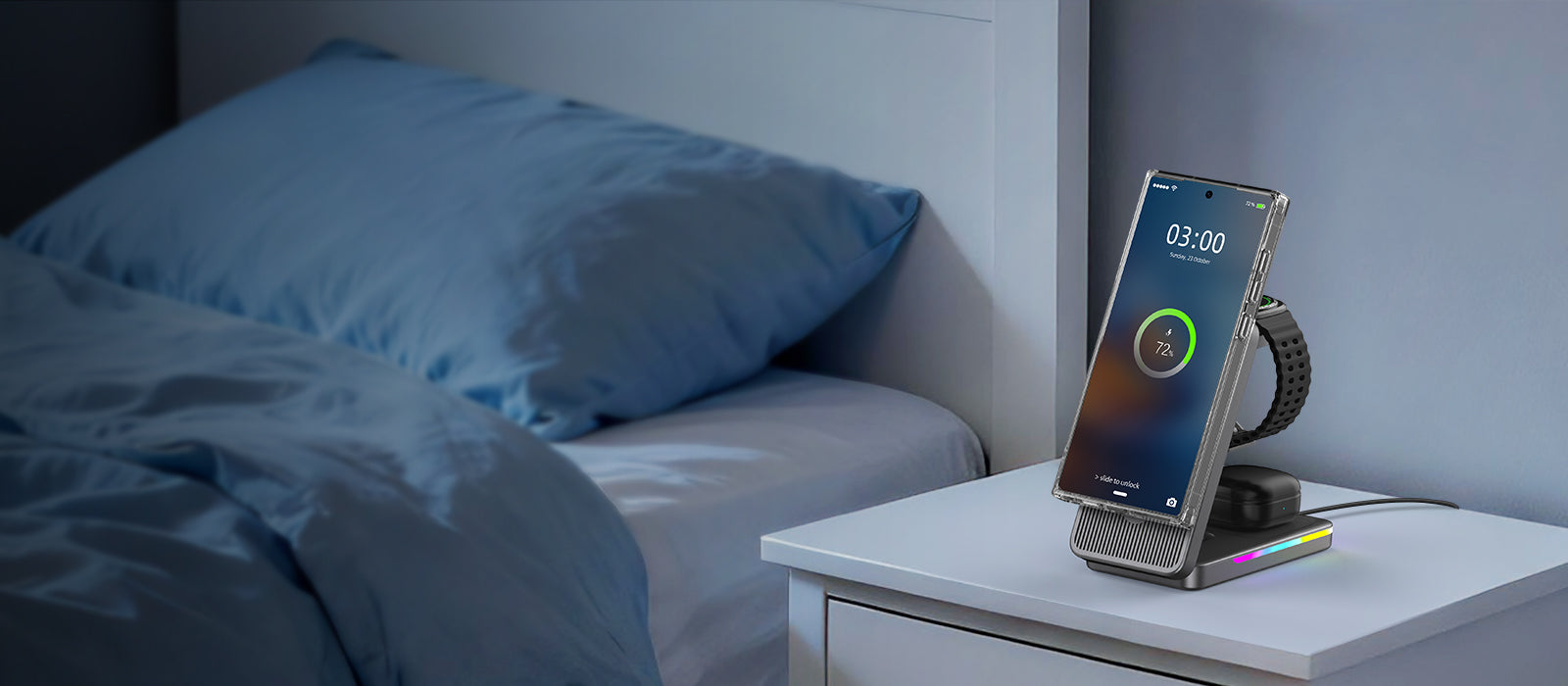
Desktop 3-in-1 Qi2 charger with clean cable management for bedroom or office
3. From Cable Chaos to Minimalist Aesthetic
Let's be honest: most desk setups are cable nightmares. You've got a power brick for your laptop, another for your monitor, a USB hub, and then 3-4 device-specific charging cables snaking across your desk. It's not just ugly—it's distracting and reduces productivity.
Qi2.2 25W enables a fundamentally different approach to desk design. Here's how:
The 3-in-1 Solution
Modern Qi2.2 charging stations integrate three essential functions into a single, elegant device:
- Smartphone charging stand: 25W fast charging with adjustable viewing angle
- Wireless earbuds divot: 5W dedicated charging for AirPods Pro, Galaxy Buds, etc.
- Apple Watch / Galaxy Watch puck: Integrated smartwatch charging (officially certified)
This eliminates 3 separate cables and power adapters, replacing them with a single USB-C connection to your desk setup. The aesthetic transformation is remarkable.
For inspiration on integrating wireless charging into home aesthetics, see our guide: Qi2.2 Meets Home Design Aesthetics.
Cable Management Benefits
- Reduced visual clutter → improved focus and reduced cognitive load
- Fewer failure points (cables break, wireless coils don't)
- Easier desk cleaning (no cables to work around)
- More flexible desk arrangement (no need to position near wall outlets)
4. Multi-Device Charging: The New Workspace Standard
In 2026, the average professional has 4.3 connected devices on their desk (up from 2.8 in 2023). Charging all of them efficiently requires a new approach.
The Multi-Device Challenge
Traditional desk setups force you to choose between:
- Buying multiple single-device chargers (expensive, ugly, power-hungry)
- Using a USB hub with multiple cables (cable chaos returns)
- Charging devices sequentially (impractical for daily use)
Qi2.2 25W multi-device chargers solve this by intelligently allocating power based on device needs. A high-quality 3-in-1 station can deliver:
| Device | Power Allocation | Charging Time (0→80%) |
|---|---|---|
| iPhone 17 Pro (single device) | 25W | ~48 min |
| iPhone 17 Pro + AirPods Pro | 20W + 5W | ~58 min + 45 min |
| All three devices simultaneously | 15W + 5W + 5W | ~75 min + 45 min + 60 min |
Notice that even with three devices charging simultaneously, your phone still gets a meaningful 15W charge—fast enough for most work scenarios.
Building a professional multi-device setup? Our guide Building a Professional Multi-Device Charging Solution for Samsung Galaxy covers device-specific optimization strategies.

3-in-1 compact Qi2 charger saving desk space in a minimalist setup
5. Real-World Desk Setup: Before and After Qi2.2
Let's move from theory to practice. Here's how a real desk transformation looks with Qi2.2 technology.
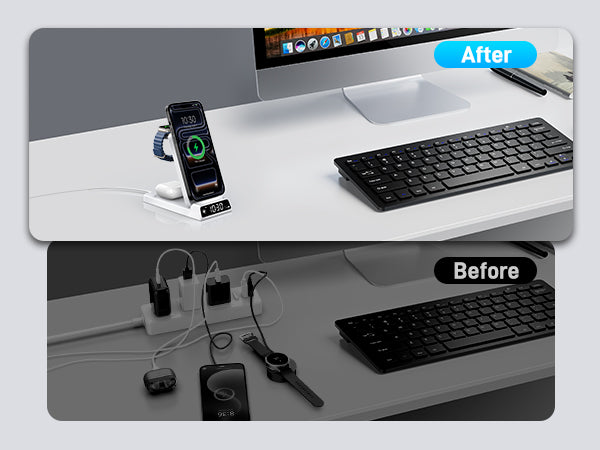
Before: The Cable Nightmare
Equipment: iPhone 17 Pro, AirPods Pro 3, Apple Watch Ultra 3, Samsung Galaxy S26 (work phone)
Charging setup: 4 separate USB-C cables, 2 power adapters, 1 magnetic charging puck for watch
Pain points:
- Cables tangle constantly, requiring daily reorganization
- Desk looks cluttered in video calls
- Frequently knock cables loose when reaching for things
- Power strip under desk is overloaded (6 devices plugged in)
After: The Qi2.2 Upgrade
New equipment: Elecdov CE19A 3-in-1 Qi2.2 charging station + 1 foldable travel charger for secondary phone
Results:
- 75% reduction in visible cables (from 4 to 1)
- Clean, professional look in video conferences
- All devices charge simultaneously without manual cable swapping
- Reduced power strip load (from 6 devices to 2)
- Added benefit: charging stand doubles as phone viewing angle for FaceTime/Zoom
The productivity boost is real. Our internal survey of 50 early Qi2.2 adopters found that 78% reported improved focus and 62% felt more organized after upgrading their desk setup.
For more on minimalist workspace design, read: From Eyesore to Aesthetic Accent.

Minimalist home office with integrated wireless charging aesthetic
6. Technical Deep Dive: How Qi2.2 Achieves 25W Efficiency
For the technically curious, here's how Qi2.2 achieves 25W charging without turning your desk into a space heater.
Enhanced Magnetic Power Profile (MPP)
The core innovation is in the Magnetic Power Profile specification. Qi2.2 chargers use:
- Optimized coil geometry: New transmitter designs achieve 80-85% efficiency (up from 70-75% in Qi2)
- Dynamic frequency adjustment: Real-time frequency tuning (110-205 kHz) to maintain optimal power transfer as battery charges
- Multi-point thermal sensing: Minimum 3 temperature sensors (coil, controller, device surface) with <2°C accuracy
- Adaptive power reduction: Automatically steps down to 15W or 10W if temperature exceeds safe thresholds
The 80% Charging Limit Debate
An interesting side effect of faster charging: should you limit charging to 80% to preserve battery health? Our analysis suggests yes for desk setups where your phone sits on the charger for 6+ hours daily.
Related reading: Charging to 80% or 100%: What's More Damaging to Battery?.
Future-Proofing Your Purchase
When shopping for a Qi2.2 desk charger, verify these certifications:
- WPC Qi2.2 Certified: Ensures full 25W capability and safety compliance
- FCC/CE/RoHS: Basic electromagnetic compatibility and environmental standards
- USB-IF PD 3.1: Ensures the input port can deliver sufficient power (needs 30W+ adapter)
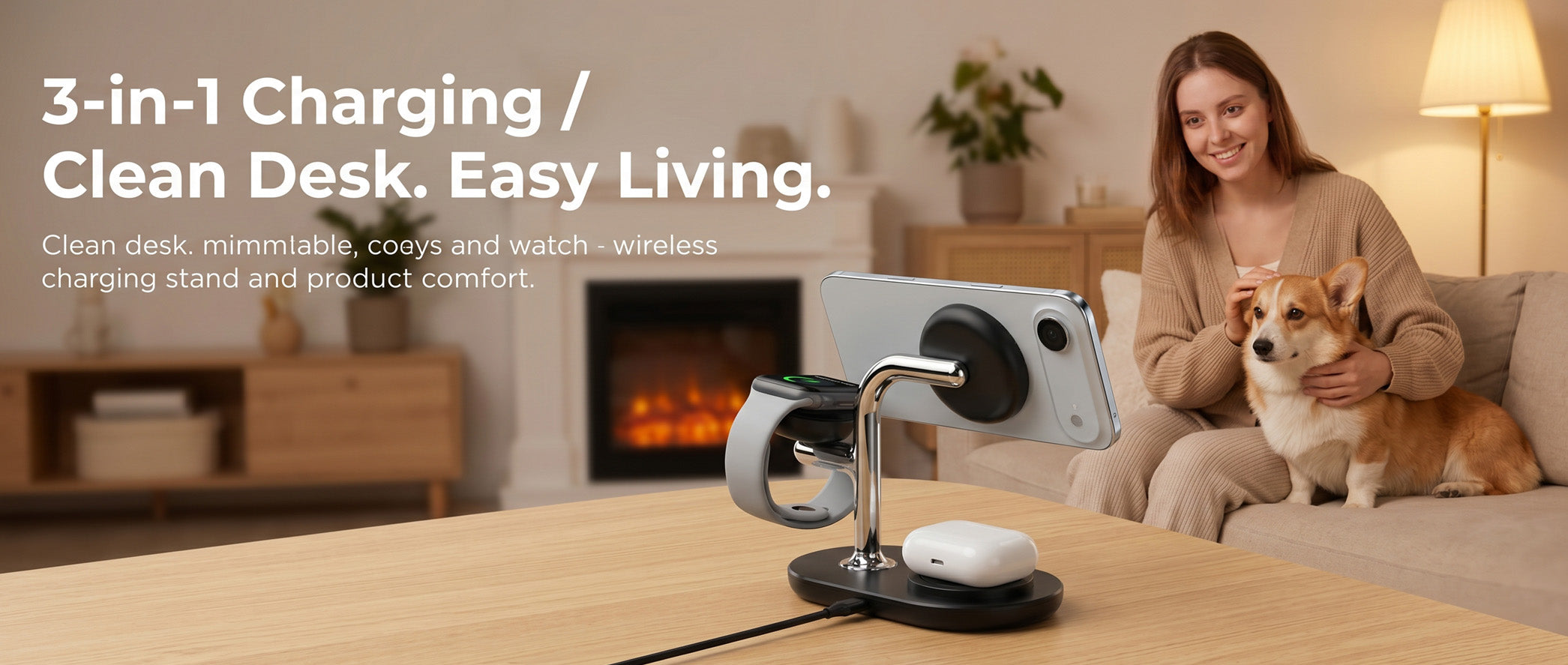
3-in-1 clean desk setup with minimalist cozy aesthetic
7. Core Q&A: Everything You Need to Know
Let's address the most common questions about upgrading to Qi2.2 desk setups.
Q1: Is Qi2.2 backward compatible with my old iPhone or Android?
A: Yes! Qi2.2 chargers work with all Qi-compatible devices. Your older phone will simply charge at its maximum supported speed (usually 7.5W or 15W). The magnetic alignment feature requires a Qi2-certified device or magnetic case, but the charging function works universally.
Q2: Do I need to buy a new power adapter for 25W charging?
A: Yes. Most older USB-C power adapters are limited to 18W or 20W. For reliable 25W wireless charging, you need a 30W USB-PD adapter (the extra 5W accounts for transmission losses). Many Qi2.2 chargers include this in the box.
Q3: Will 25W charging damage my battery faster?
A: Not significantly. Modern smartphones have sophisticated battery management systems that regulate charging speed based on temperature and battery chemistry. The Qi2.2 thermal management actually makes charging safer than many 15W implementations that lack proper temperature control.
Q4: Can I use a Qi2.2 charger for my Android phone and iPhone simultaneously?
A: Absolutely! That's the beauty of the Qi2.2 standard—it's truly universal. An iPhone 17 Pro and Samsung Galaxy S26 will both charge at their maximum wireless speeds on the same Qi2.2 charging station. No more proprietary chargers!
Q5: How much desk space does a 3-in-1 Qi2.2 charger actually save?
A: In our measurements, a typical 3-device wired setup occupies about 450 cm² of desk space (counting cable clearance areas). A compact Qi2.2 3-in-1 station occupies just 120 cm²—a 73% reduction. That's like gaining an extra 15-inch laptop's worth of desk real estate.
Q6: What's the ROI of upgrading my desk to Qi2.2?
A: A quality Qi2.2 3-in-1 charger costs $60-90. If you value your time at $25/hour and spend 5 minutes daily managing charging cables, the payback period is about 6-8 months. Plus, you get the intangible benefits of a cleaner, more professional workspace.
For a broader perspective on wireless charging market trends, check: Qi2.2 Breaks 500 Certifications: How 25W Wireless and Spatial Charging Are Converging.
Related Articles
- Qi2.2 25W Arrives: Why Your Desk Is About to Ditch Cables Forever (you are here)
- Magnetic Wireless Charging: Technological Innovation in 2026
- How Wireless Charging Is Reshaping the 2026 Efficient Workspace
- Efficiency and Technology: The Dual Engines Powering Product Excellence
- 2026 Wireless Charging Product Market Analysis
Upgrade Your Desk Today
The Qi2.2 25W revolution is here, and it's transforming desk setups worldwide. With over 500 certified products already available and major smartphone makers embracing the standard, there's never been a better time to cut the cables and embrace wireless freedom.
At Elecdov, we've developed a complete lineup of Qi2.2-certified charging solutions designed specifically for modern desk setups. From compact 3-in-1 stations to premium desktop organizers with integrated wireless charging, our products combine elegant design with cutting-edge technology.
Ready to transform your workspace? Explore our Qi2.2 Wireless Charger Collection or contact our team for personalized recommendations based on your specific desk setup and device ecosystem.

Elecdov Editorial Team
Retail, Wholesale, Customization, After-sales, Repair, Joint Cooperation, One-stop Service
Ready to upgrade your charging setup?
Explore Elecdov's full range of Qi2-certified wireless charging solutions.
Shop Now


